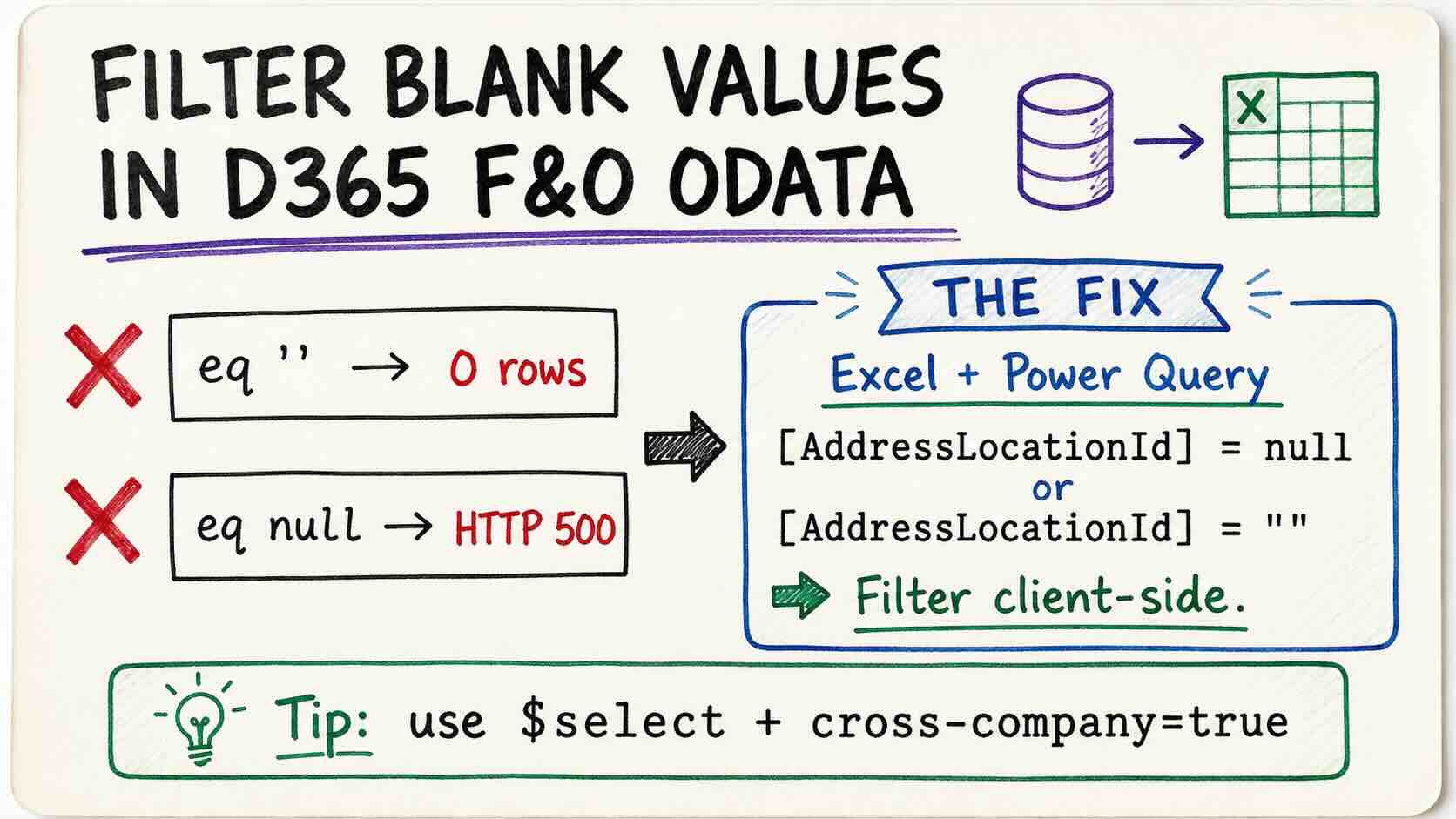
A simple question came up recently: which vendors in our environment have no primary address?
In SQL this is a five-second job
SELECT vendtable WHERE ADDRESSLOCATIONID IS NULL
Through the D365 Finance & Operations OData endpoint, it turned into a small investigation. The short version: the OData $filter in F&O cannot express "this field is empty." Not with eq '', not with eq null.
The good news is that you don’t need Power Automate, a logic app, or a BYOD pipeline to work around it. Excel and Power Query handle it in about five minutes.
The setup
The entity is VendorsV2. The field is AddressLocationId. A vendor with no primary address should have nothing in it.
First attempt, the obvious one:
/data/VendorsV2?$filter=AddressLocationId eq ''&cross-company=trueResult: "value": []. Zero records.
So maybe there are no such vendors? Flip the filter to check:
/data/VendorsV2?$filter=AddressLocationId ne ''&cross-company=trueThis returns thousands of records — but scrolling through them, two vendor accounts are missing from the sequence. Vend-001 and Vend-002 aren’t there which falls my expectation.
however absent from eq ''; absent from ne ''. can’t be both.
Why both filters miss the same records
This is classic three-valued logic. No address maintained means AddressLocationID is null. In OData any comparison involving NULL evaluates to unknown, and unknown is not true, so the row is excluded from the result set.
| AddressLocationId | eq '' | ne '' |
|---|---|---|
'000676059' | excluded | returned |
'' (empty string) | returned | excluded |
NULL | excluded | excluded |
A NULL falls through both sides of the filter. It is invisible to $filter no matter which direction you approach it from.
Why eq null doesn’t work
The OData spec supports eq null. So this should work:
/data/VendorsV2?$filter=AddressLocationId eq nullIt returns an HTTP 500 with a System.NullReferenceException. The top of the stack trace is the interesting part:
Microsoft.Dynamics.AX.Framework.Linq.Data.AXQueryFormatter.VisitBinary(BinaryExpression b)
Microsoft.Dynamics.AX.Framework.Linq.Data.AXQueryProvider.Translate(Expression expression)
note: I have not found Microsoft documentation that states "eq null is unsupported in F&O OData." I tried several times and just did not work. if you know the reaosn, please share with me, appreciated!
The heavy options (and why I skipped them)
Several routes I can think of :
| Approach | Works? | Cost |
|---|---|---|
| BYOD | Yes | DMF + Azure |
| Power Automate | Yes | Design, Test and debugging |
| Data Management export | Yes, Current legal entity only | X times exporting |
| Custom X++ query | Yes | I don’t know how to do it |
The light option: Excel + Power Query
The trick is simple — stop trying to filter server-side. Pull the data with a narrow projection and filter on the client, where null is a first-class value you can test for.
In Excel: Data → Get Data → From Other Sources → From OData Feed, sign in with your organizational account, then Transform Data (not Load) to open the Power Query Editor. From there, Home → Advanced Editor, and paste:
let
    Source = OData.Feed("https://YOURENV.operations.dynamics.com/data/VendorsV2?$select=dataAreaId,VendorAccountNumber,VendorOrganizationName,AddressLocationId,FormattedPrimaryAddress,OnHoldStatus&cross-company=true", null, [Implementation="2.0"]),
    Filtered = Table.SelectRows(Source, each
        ([AddressLocationId] = null or [AddressLocationId] = "")
        and [OnHoldStatus] = "No"),
    Kept = Table.SelectColumns(Filtered, {"dataAreaId", "VendorAccountNumber", "VendorOrganizationName", "FormattedPrimaryAddress"})
in
    Kept
Five tips
1. cross-company=true is not optional. By default OData returns only your current legal entity. One query parameter gets you every company the user has access to.
2. Filter for both null and "". The OData feed may materialise a missing value either way depending on the entity metadata. Testing both costs nothing and saves an hour of confusion.
3. Don’t use the column dropdown filter. Power Query’s filter list loads a maximum of 1000 distinct values — you’ll see a "Limit of 1000 values reached" warning at the bottom. null may not appear in that list at all. Write the Table.SelectRows step by hand.
4. Check what your in statement returns. I lost ten minutes to a query that computed Filtered correctly and then returned Source. The step ran, the result was ignored, and I got all 10,021 rows back wondering why the filter "didn’t work."
5. Keep the columns you filter on in $select. You can’t filter on a field you didn’t retrieve. Drop it afterwards with Table.SelectColumns if you don’t want it in the output.
On using AI for this
I worked through this with an AI assistant, and the honest report is mixed in a useful way.
Where it helped: reading the stack trace and identifying VisitBinary as the failure point, explaining the three-valued logic behaviour, and producing working M code on the first try once the requirement was clear. That’s genuinely faster than searching forums.
Where it didn’t: it confidently told me the vendor hold field was called VendorHoldStatus. It isn’t — it’s OnHoldStatus, which I’d already confirmed in the entity metadata.