In Dynamics 365 Finance and Operations, workflows can be assigned using three hierarchies: Managerial Hierarchy and Configurable Hierarchy, and Expense multi-level approvals.
1. Managerial Hierarchy (Organization)
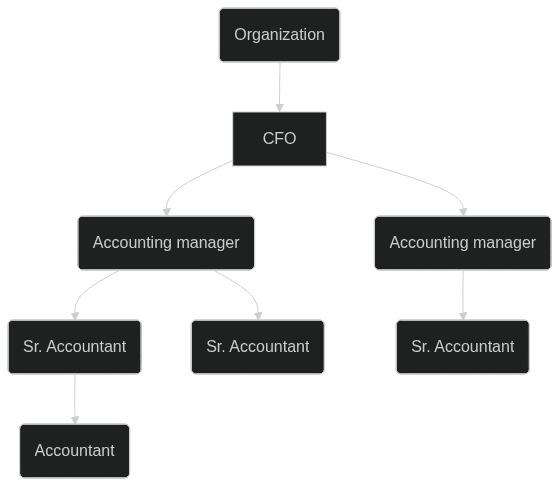
Managerial Hierarchy is the most commonly used hierarchy type. It is based on the organizational position structure, where approvals flow through line managers.
1.1 Source for Managerial Hierarchy
Human Resources > All positions > Report To
Human Resources > Position hierarchy – Visual and structural representation of position reporting lines
1.2 Workflow assignment setup
Starts from : request, worklfow originator
Stop when the following condition is met: The workflow continues moving up the managerial chain until a stop condition is met.
–Workflow line manager = 1 : Next approver would be the immediate manager → stop
–Workflow line manager = 2 : Next approver would be the manager’s manager → stop
2. Configurable Hierarchy (Custom Hierarchy)
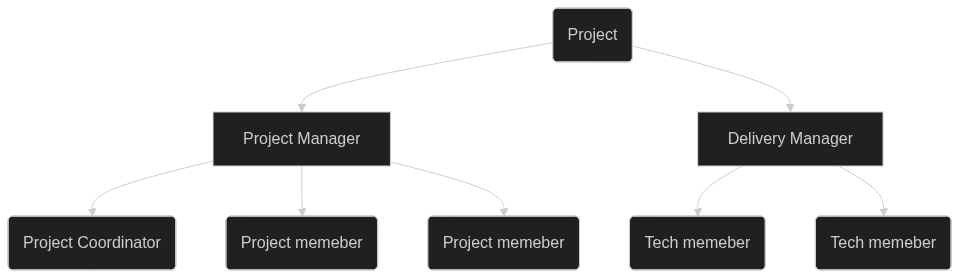
Configurable hierarchies are used when approval routing does not follow the organizational reporting line. This is commonly seen in project-based approvals or other hierarchies outside the standard organizational structure. Unlike Managerial Hierarchy, this approach allows you to define custom approval paths independent of formal line management.
2.1 Source for Configurable Hierarchy
A Configurable Hierarchy is built using the following elements:
Human Resources > Position hierarchy types > Hierarchy and Workflow ID
Human Resources > All positions > Relation > Reports to position
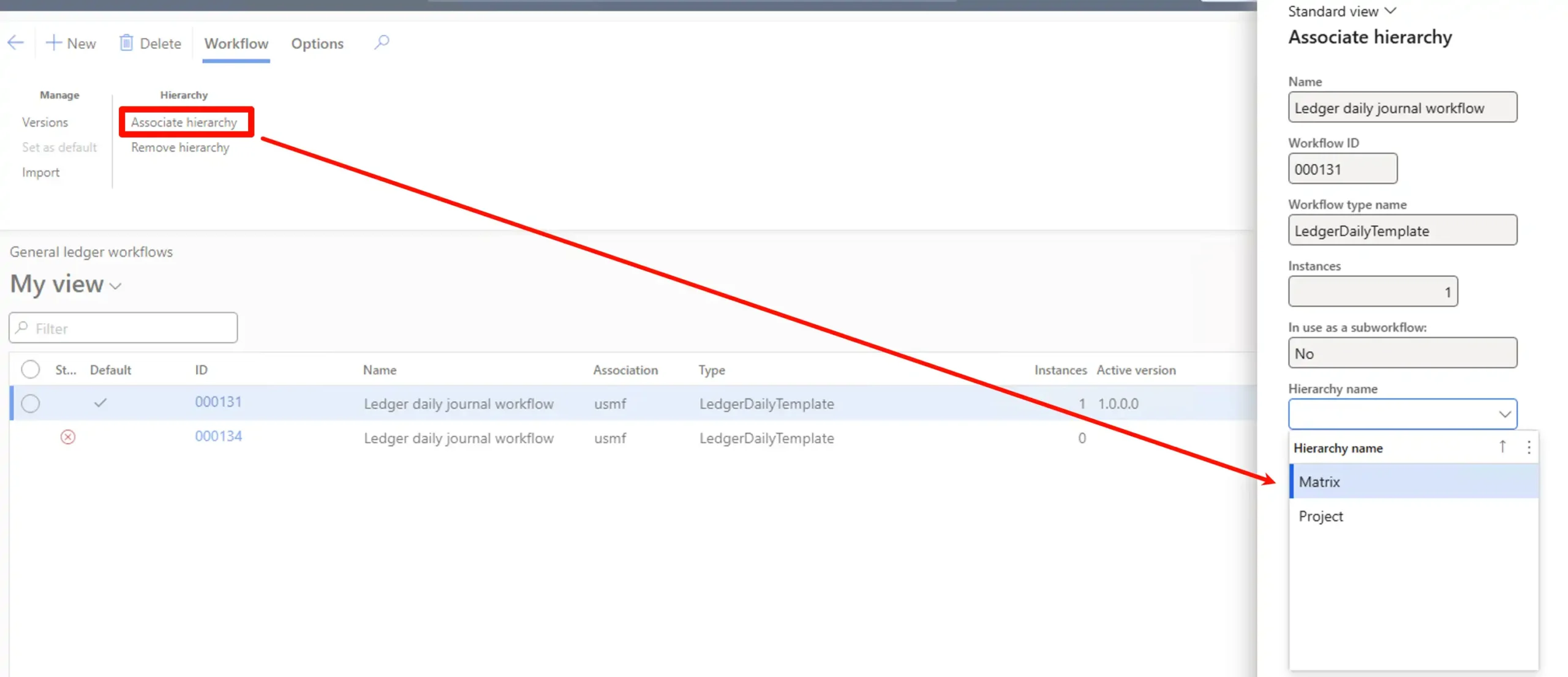
Workflows > Associate Hierarchy
2.2 Workflow assignment setup
Starts from : request, worklfow originator
Stop when the following condition is met: The workflow continues moving up the configuration reporting chain until a stop condition is met.
- Workflow line manager = 1 : Next approver would be the immediate manager → stop
- Workflow line manager = 2 : Next approver would be the manager’s manager → stop
3. Expense Multi-Level Approval Hierarchy
Expense multi-level approval hierarchy is used for expense report workflows.
3.1 Source for Expense Multi-Level Approval Hierarchy
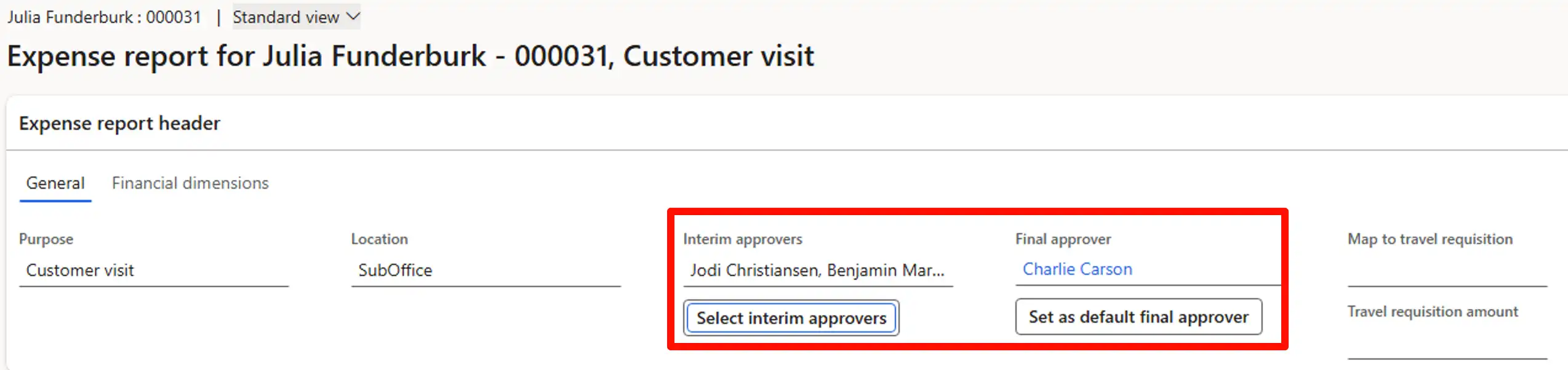
Expense Managment > Expense Management Parameters > Multi-level hierarchy fields to display set as Interim approvers and Final Approvers
3.2 Workflow assignment setup
Stop when the following condition is met: Employee.Is last approver = Yes
This approach avoids hard-coding approval levels and simplifies long-term maintenance.
3.3 how it works
when user creates Expense reports, go to Expense Report Header > and assignInterim approvers and final approver
4. Key Takeaways
- Managerial Hierarchy follows the organizational reporting line
- Configurable Hierarchy supports project-based approvals
- Expense Multi-Level Approval Hierarchy provides a flexible way to assign approvers during expense report creation.