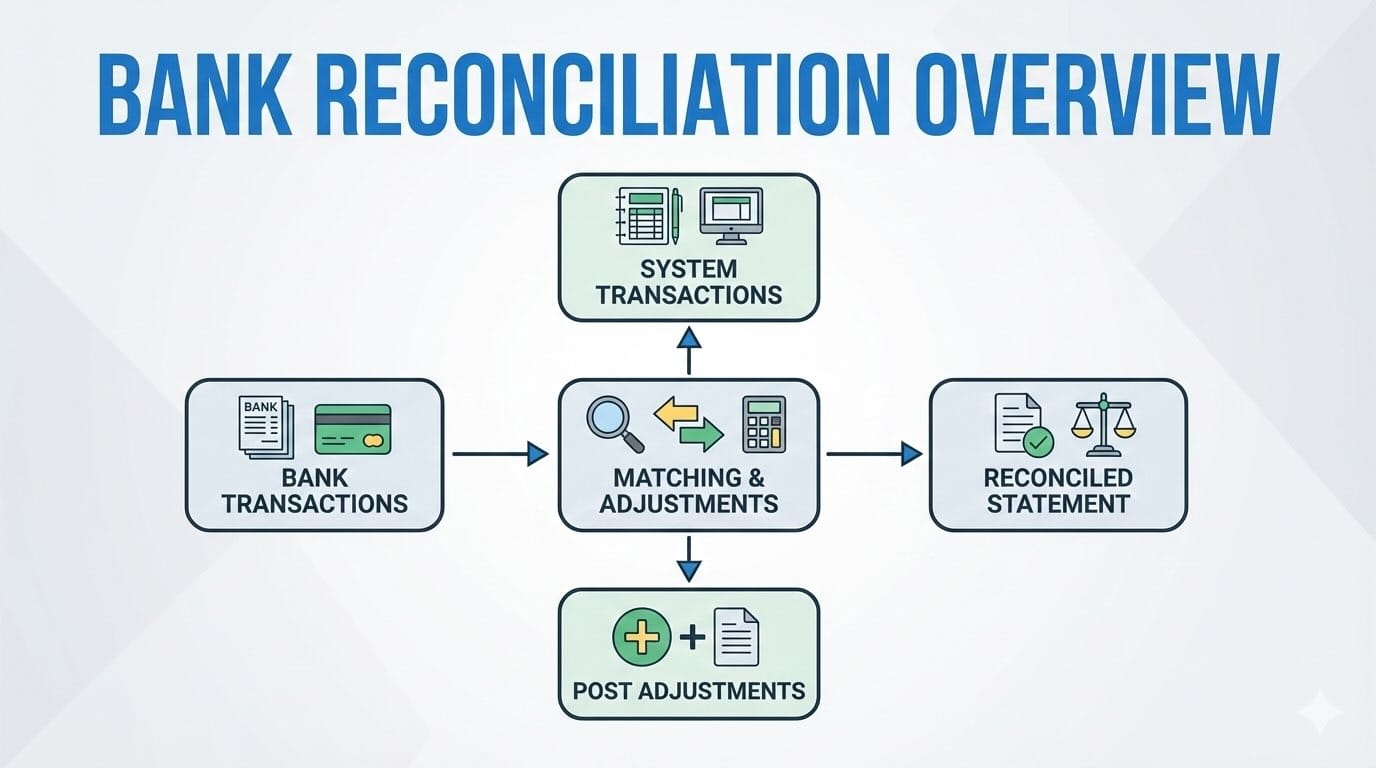
Bank reconciliation is a critical part of financial management. In Dynamics 365 Finance, there are two out of box functions to bank reconciliation, each designed for different levels of transaction volume and automation needs.
In this blog, I’ll walk through each option, explain how they work, and highlight their key advantages and limitations to help you decide which solution best fits your organization. I’ll also briefly touch on a common ISV option for more complex scenarios.
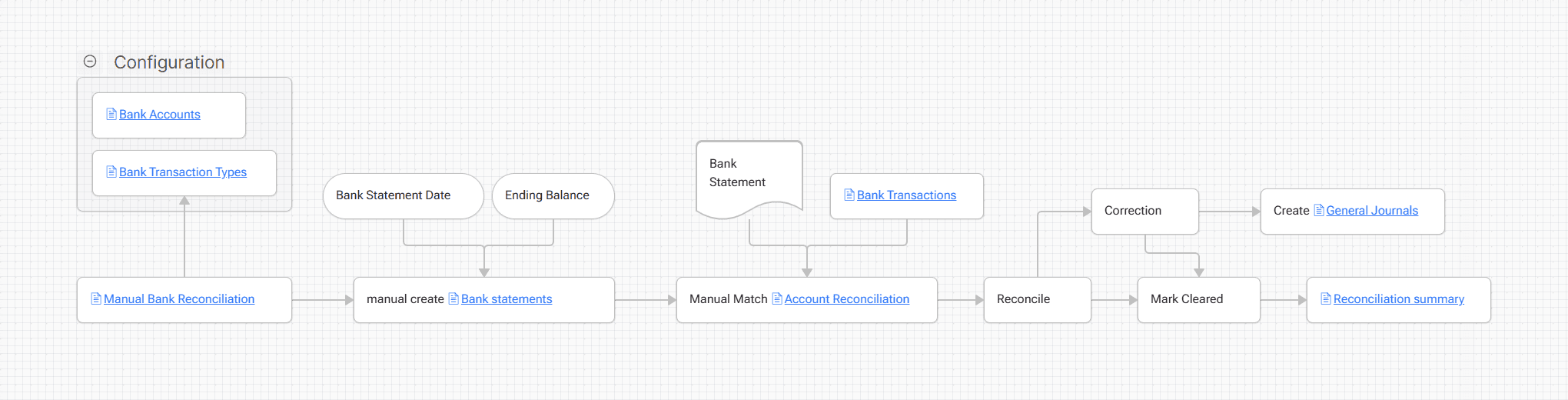
1. Simple Bank Reconciliation (Manual)
As the name suggests, Simple Bank Reconciliation requires minimal setup, making it quick to implement and easy to go live.
This approach allows users to manually reconcile bank transactions—such as payments and ledger entries—against bank statements.
Because it lacks automation, users must review and match transactions manually.
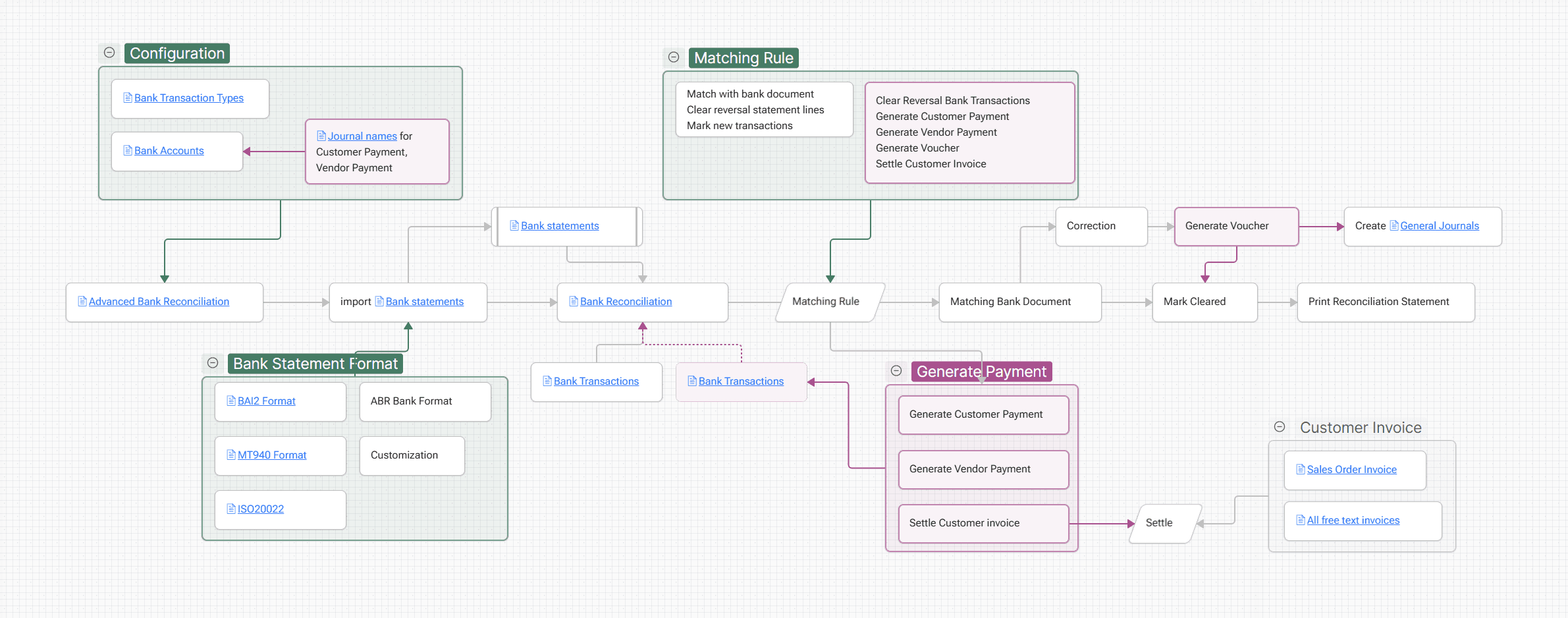
2. Advanced Bank Reconciliation (Automation)
Advanced Bank Reconciliation is designed for organizations that need automation and efficiency.
By using matching rules, the system can automatically reconcile bank statements with transactions in Dynamics 365 Finance. With the newer Modern Bank Reconciliation features, the process can go even further—automatically creating payments and, furthermore, it also can settle customer invoices.
This significantly reduces manual effort and improves accuracy, especially in high-volume environments.
3. (Optional) Treasury Automation Suite (TAS – ISV Solution)
Treasury Automation Suite (TAS) is a third-party ISV solution provided by SKsoft. It offers enhanced capabilities beyond standard D365 Finance functionality.
From practical experience, TAS stands out particularly in bank file transmission and handling, with:
- Dozens of built-in bank formats
- More sophisticated matching logic
- Strong support for multi-bank and multi-region setups
That said, TAS delivers the most value when used as a full treasury automation solution. If your only requirement is bank reconciliation, TAS may not be cost-effective given the additional licensing and configuration effort.
Comparison Summary
| Area | Simple Bank Reconciliation | Advanced Bank Reconciliation | Treasury Automation Suite (ISV) |
|---|---|---|---|
| Audience | Low transaction volume, manual processing | Multiple bank accounts, high transaction volume | Complex global bank and treasury setups |
| Advantages | Out-of-the-box, minimal configuration | Out-of-box, Automation, rule-based matching | Built-in templates, advanced bank file handling |
| Limitations | Fully manual process | Medium setup effort; ER configuration required | extra cost; heavier implementation effort |
If you’re planning a D365 Finance implementation or reassessing your current bank reconciliation process, understanding these trade-offs early can save significant time and rework later.